How it works
Set up once in under an hour. Your guests are ordering that same evening.
How Pisteo works
Four steps, two views per step: your guest's and yours. Same moment, two angles.
Guest orders, you see it
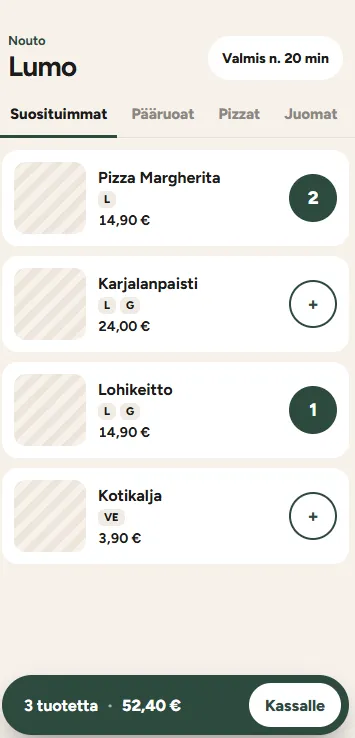
Diner phone
Guest scans the table QR, builds a tab on their own phone, and hits Send.
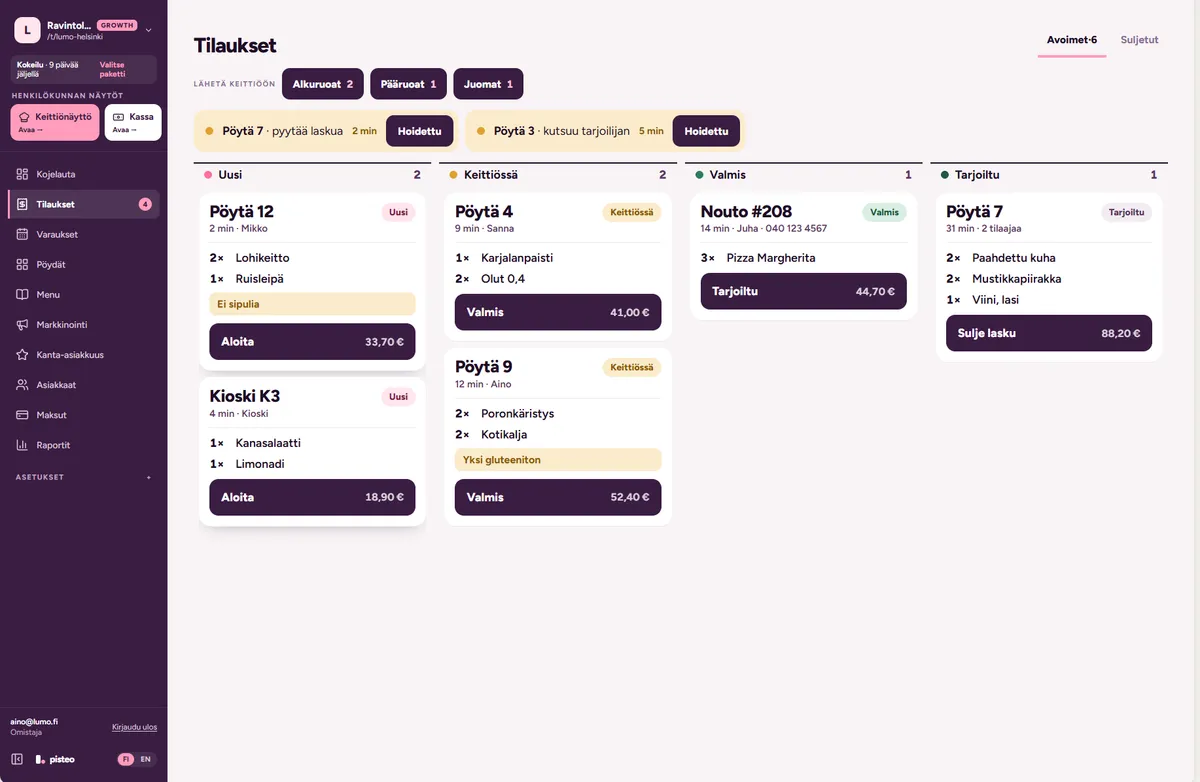
Orders board
The order appears on your orders board the moment they tap Send. Table number, items, timestamp, all there.
Kitchen prints and answers
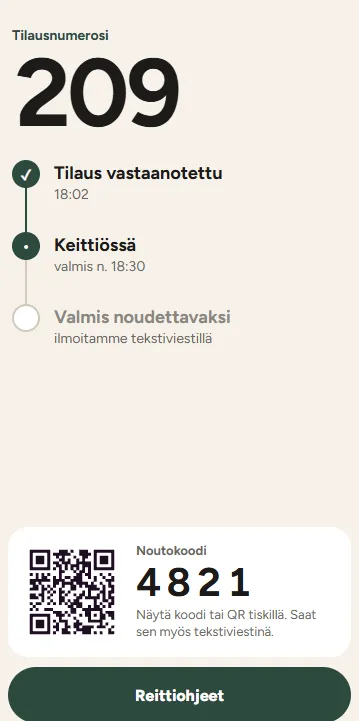
Diner phone (live status)
Each item moves through sent → preparing → ready. No more 'where's my food' interruptions.
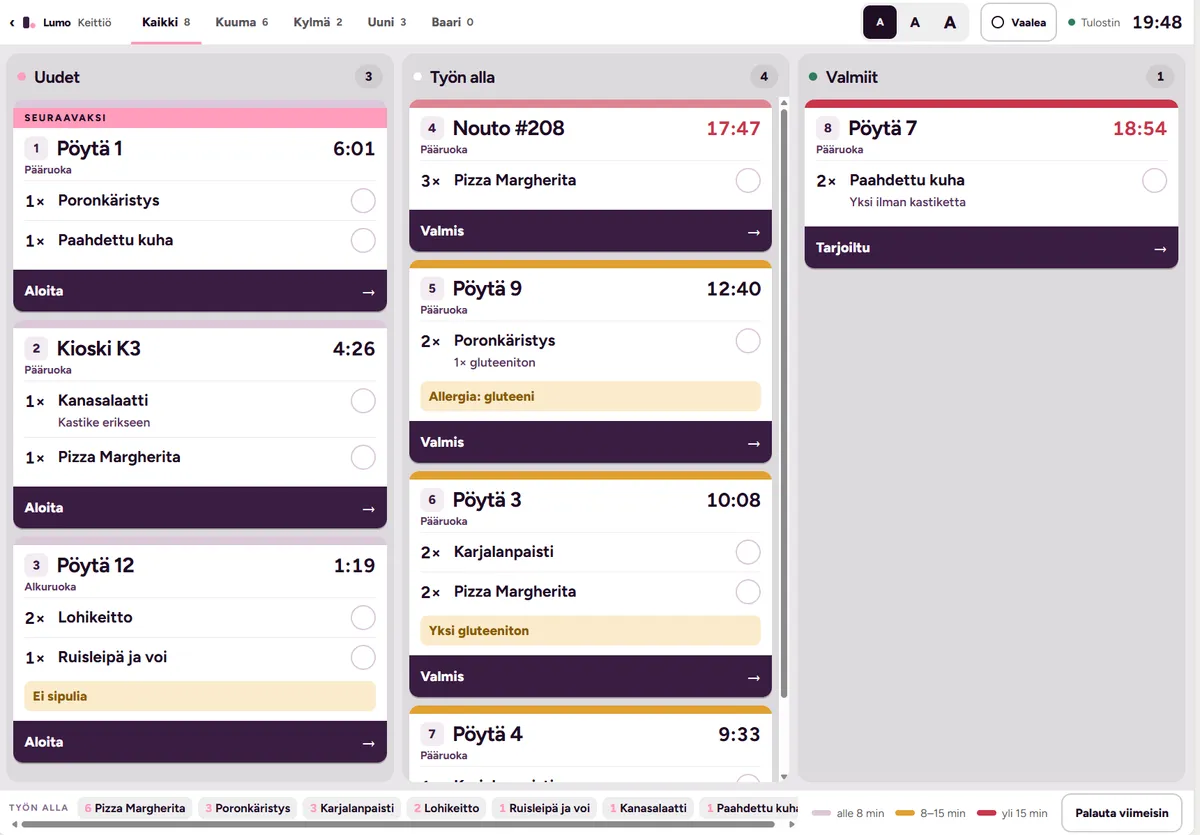
Kitchen display (KDS)
Same order on the kitchen screen. Tap to mark ready. The diner sees the change instantly.
Pay in a tap
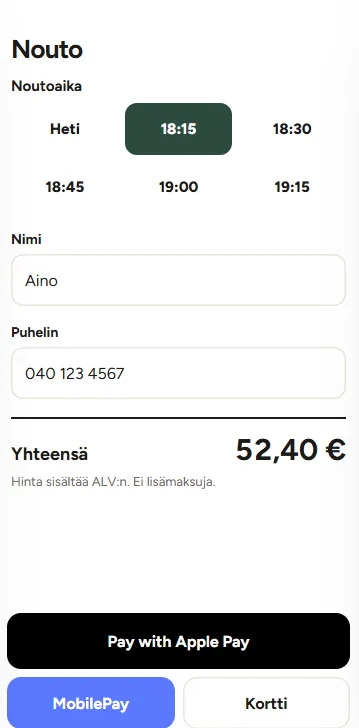
Apple Pay / MobilePay
When the meal is done, the diner taps to pay. Apple Pay, MobilePay, or card. No waiting for a bill.
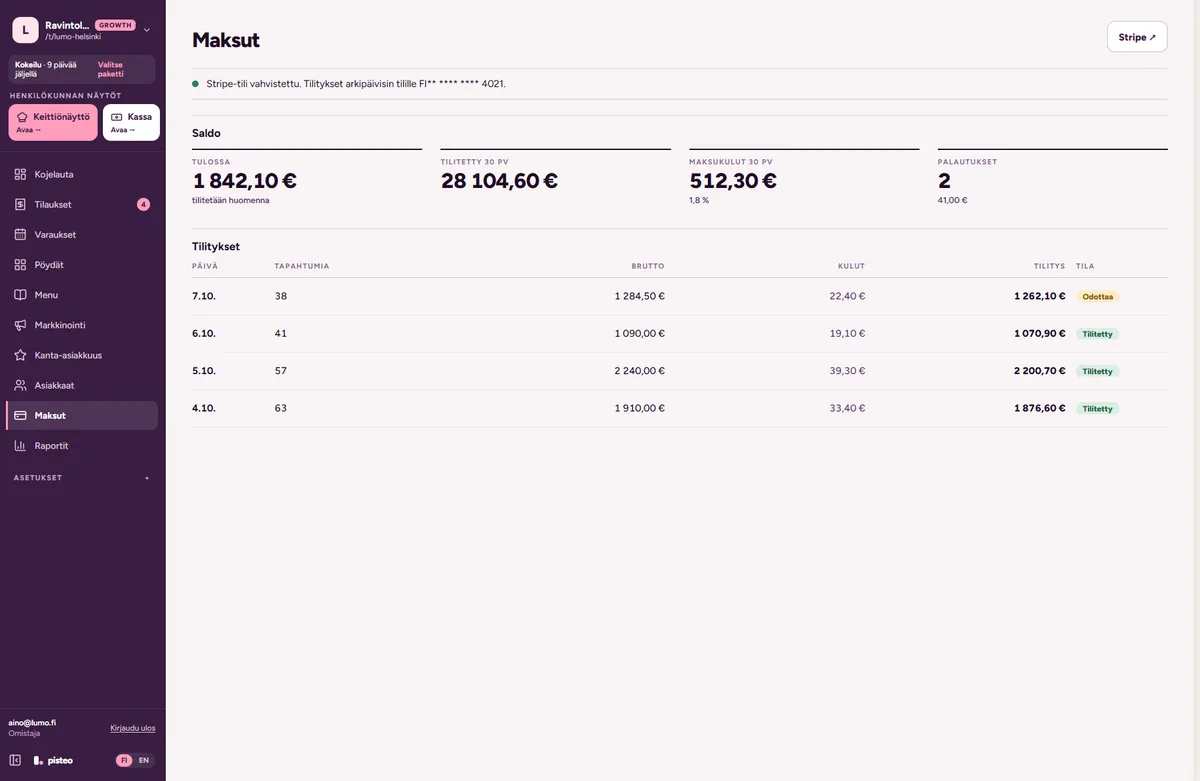
Revenue dashboard
Stripe settles to your IBAN. Your dashboard updates live with the new total and VAT split.
Capture the next visit
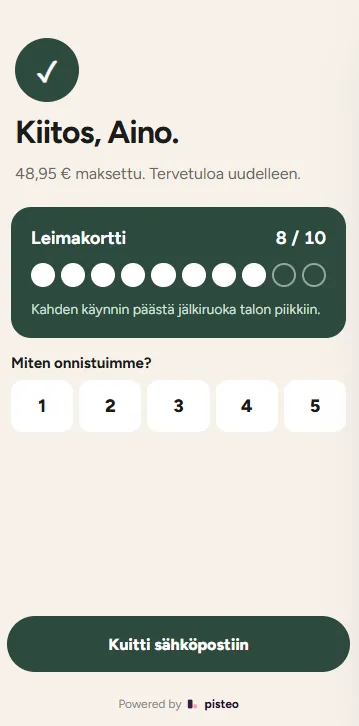
Receipt + opt-in
On the receipt, the diner ticks the box to hear about new menus and events. One tap.
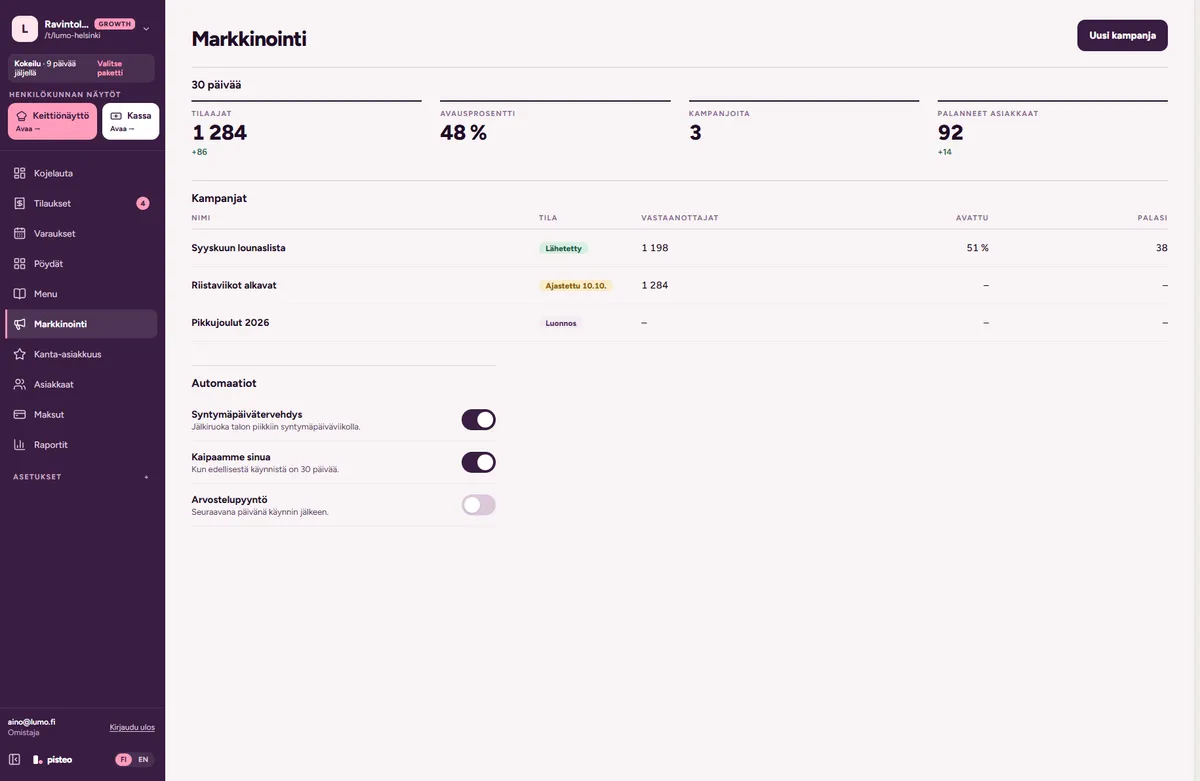
Marketing module
Their email lands in your marketing list. Send your next campaign in two clicks. The list is yours, not Wolt's.
Screenshots are taken from the live Pisteo admin and diner views. We refresh them as the product evolves.
Live today.
Setting up
- 1 Import your menu Upload a PDF, photo, or URL. Items, prices, allergens, and Finnish VAT are parsed in seconds.
- 2 Print your QR codes We generate a per-table PDF. Print, tape to the tables. That's the last time you touch the setup.
- 3 You're live Orders go to your kitchen display or printer. No new hardware. No app installs for your staff.
When a guest arrives
- 1 Scan the table QR The menu opens in the browser instantly. No app to download, no account to create.
- 2 Browse and order Add courses and extra rounds to the same tab. You see orders in real time on the KDS.
- 3 Pay and walk out Apple Pay, MobilePay, or card. Split by item if needed. No waiting for the bill.
Why Pisteo
Guests who order at their own pace order more
When the US fast-casual chain PDQ added self-ordering kiosks, its average ticket grew by 25% and about one guest in five took an upsell offer. Your results will vary, but the mechanism is simple: the second drink is one tap away, not a wave at a busy server.
Source: U.S. Chamber of Commerce (GRUBBRR / PDQ case), 2025Every order a guest places themselves frees up staff time
In 2024 the median US full-service restaurant spent 36.5% of sales on salaries, wages and benefits (limited-service: 31.7%), well above historical levels. When ten tables order in parallel and pay at the table, the same team handles more covers.
Source: National Restaurant Association, 2025The easiest new customer is the one who came last month
Olo’s data from more than 100 million guest records shows repeat guests drive 60% of restaurant revenue. Opt-in emails captured at checkout live in your own marketing module, so the next visit is something you can prompt, not just hope for.
Source: Olo, 2024See Pisteo with your menu.
Book a 20-minute demo. We import your menu first so you see it on a guest’s phone.